
Product Collection Page SEO: How to Rank Shopify Category Pages and Grow Sales
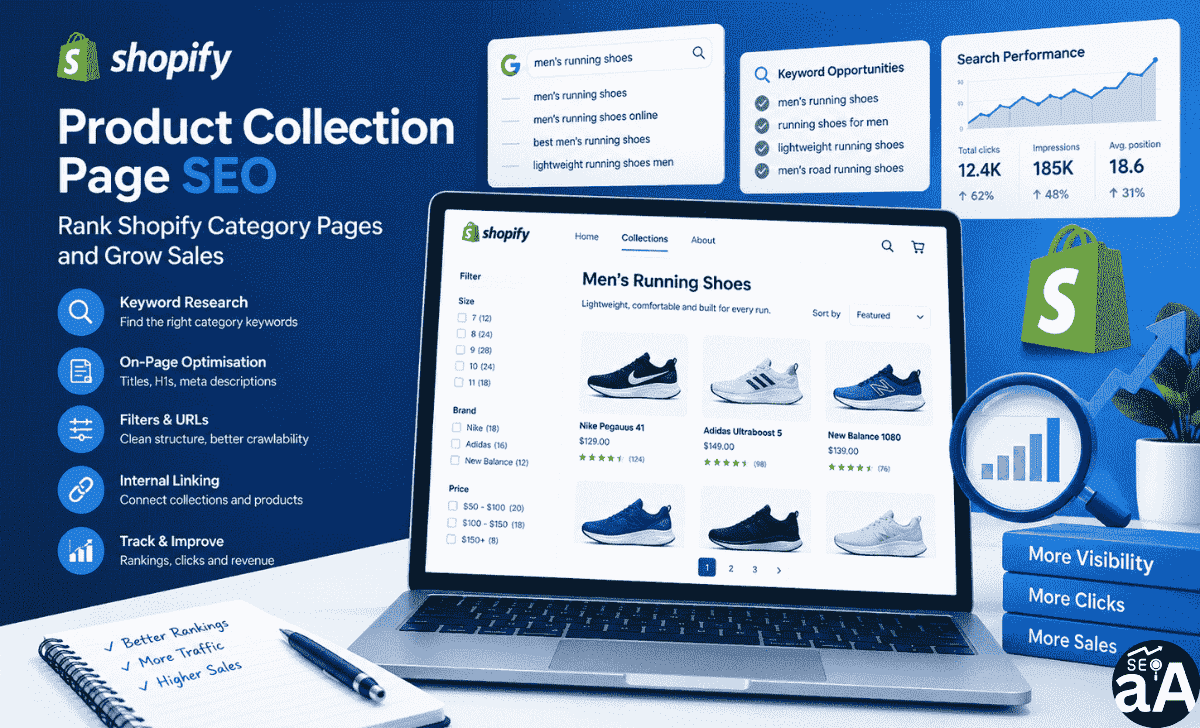
Shopify collection pages play an important role in e-commerce SEO. They organise products into categories and help shoppers find what they want. They also give search engines clear information about the products your store sells.
However, creating a collection page does not guarantee organic traffic. Your pages need relevant keywords, useful descriptions, clear headings, strong internal links, and a crawlable structure.
This is where product collection page SEO becomes important.
A well-optimised collection page targets category-level searches. It connects shoppers with relevant products and guides them towards a purchase.
For example, someone searching for “men’s running shoes” often wants to compare several products. A collection page is a better match for this search than a single product page.
In this guide, you will learn how to optimise Shopify collection pages, improve category rankings, manage technical SEO issues, and measure organic sales.
You will also get a practical collection-page optimisation template you can apply to your Shopify store.
What Is a Shopify Collection Page?
A Shopify collection page is a category page that groups related products in one place.
It helps customers browse products without visiting each product page individually.
For example, a clothing store might organise its products into these collections:
- Men’s clothing
- Women’s clothing
- Running shoes
- Winter jackets
- Sports accessories
- Summer dresses
Each collection has its own URL, heading, description, and product grid.
A typical Shopify collection URL looks like this:
https://example.com/collections/mens-running-shoes
The page might contain:
- A collection title.
- A short category description.
- Product images.
- Product names and prices.
- Sorting options.
- Product filters.
- Links to related collections.
- Pagination or load-more controls.
How Is a Collection Page Different From a Product Page?
Both page types support e-commerce sales, but they target different search intentions.
A product page focuses on one specific product. A collection page targets a broader category of products.
For example:
| Page type | Example keyword | Search intent |
|---|---|---|
| Collection page | Men’s running shoes | Compare products |
| Product page | Nike Pegasus 41 | Find a specific product |
| Collection page | Organic skincare products | Browse a category |
| Product page | Organic vitamin C serum | Research a specific item |
You should assign different keyword targets to collection and product pages.
This prevents multiple pages from competing for the same search query.
Why Do Shopify Collection Pages Matter for SEO?
Collection pages help search engines understand your store’s product categories.
They also give shoppers a direct path to relevant products.
Here are five important benefits:
- Category-level visibility: Your collection pages target broader product searches.
- Better navigation: Customers find relevant products faster.
- Internal linking: Collection pages connect your website’s product architecture.
- More qualified traffic: Category searches often come from people comparing products.
- Sales opportunities: Shoppers can compare several products before choosing one.
For many e-commerce stores, collection pages deserve the same SEO attention as important product pages.
1. How to Find Keywords for Shopify Collection Pages
Keyword research is the first step in product collection page SEO.
You need to understand what your customers search for before creating or optimising a collection.
Do not select keywords based on search volume alone. Focus on search intent, product relevance, and commercial value.
Understand Collection Page Search Intent
Start by identifying searches where users want to browse several products.
Consider these examples:
- Women’s running shoes.
- Men’s leather jackets.
- Organic face moisturisers.
- Wireless headphones.
- Office furniture.
These searches usually have category-level intent.
Compare them with:
- Buy Nike Air Max 90.
- Samsung Galaxy S25 price.
- Best moisturiser for dry skin.
The first group is suitable for collection pages. The second group might need product pages, buying guides, or comparison content.
Follow These Keyword Research Steps
Step 1: List your product categories.
Open your Shopify admin and review your existing collections.
Create a spreadsheet with:
- Collection name.
- Main product type.
- Primary keyword.
- Secondary keywords.
- Search intent.
- Target URL.
Step 2: Find relevant search terms.
Use keyword research platforms and search engine results to identify relevant terms.
Useful research sources include:
- Google Keyword Planner.
- Google Search Console.
- Google Trends.
- Semrush.
- Ahrefs.
- Google autocomplete.
- Google’s related searches.
Step 3: Check search intent manually.
Search your primary keyword on Google.
Review the first page of results.
Ask yourself:
- Does Google show category pages?
- Are product grids visible?
- Do competing pages contain category descriptions?
- Are shoppers looking for product comparisons?
- Are buying guides ranking instead?
If Google mainly displays collection pages, you have evidence that a collection page matches the query.
Step 4: Find supporting keywords.
Add closely related search terms.
For example, a men’s running shoes collection might target:
- Men’s running shoes.
- Running shoes for men.
- Lightweight running shoes.
- Men’s road running shoes.
- Cushioned running shoes.
Only use terms that accurately describe the products in the collection.
Build a Collection Keyword Map
Avoid assigning the same primary keyword to multiple collections.
Use a keyword map to organise your targets.
Example:
| Collection | Primary keyword | Supporting keywords |
|---|---|---|
| Men’s shoes | Men’s shoes | Men’s footwear, casual shoes |
| Running shoes | Men’s running shoes | Lightweight running shoes |
| Leather shoes | Men’s leather shoes | Formal leather footwear |
| Sports shoes | Men’s sports shoes | Athletic footwear |
This structure gives every collection a clear purpose.
How Many Keywords Should You Target?
Start with one primary keyword and a small group of closely related supporting terms.
You do not need to target dozens of unrelated keywords on one page.
For example, a running shoes collection should focus on running footwear. It should not target unrelated terms such as men’s watches or winter jackets.
Relevance is more important than keyword quantity.
2. Optimise Shopify Collection Page Title Tags
Your title tag tells search engines and users what a collection page covers.
It also appears as the clickable headline in search results.
A clear title helps searchers understand whether your page matches their needs.
How to Write an SEO-Friendly Collection Title
Follow these principles:
- Place the primary keyword near the beginning.
- Describe the actual product category.
- Keep the title concise.
- Make each collection title unique.
- Add your brand name when it improves recognition.
- Avoid repeating the same keyword unnaturally.
Aim for approximately 50 to 60 characters. Google does not enforce a fixed title character limit and may rewrite titles based on the search query.
Collection Title Examples
Imagine you manage an online shoe store.
Primary keyword: Men’s Running Shoes.
Recommended title:
Men’s Running Shoes | Lightweight & Comfortable
Another example:
Primary keyword: Women’s Leather Bags.
Recommended title:
Women’s Leather Bags | Shop Premium Styles
Avoid titles such as:
Men’s Running Shoes, Running Shoes for Men, Best Men’s Running Shoes Online
This repeats the same terms without adding useful information.
Where to Edit Your Shopify Collection SEO Title
Follow these steps:
- Open your Shopify admin.
- Select Products.
- Open Collections.
- Select the collection you want to optimise.
- Find the Search engine listing section.
- Select Edit.
- Enter your SEO page title.
- Save your changes.
Review the title after publishing to ensure it matches the collection content.
3. Write a Clear H1 and Meta Description
Your H1 heading and meta description help explain the page’s purpose.
They also support a consistent experience between search results and the landing page.
Optimise Your H1 Heading
Your H1 should describe the collection clearly.
Use one primary H1 for the main page heading.
Example:
Primary keyword: Men’s Running Shoes.
H1:
Men’s Running Shoes for Everyday Training
Supporting H2 headings might include:
- Shop Lightweight Running Shoes.
- Find Shoes for Road Running.
- Choose Comfortable Running Footwear.
Avoid using several unrelated H1 headings on the same collection page.
Your H1 should match the products displayed on the page.
Write a Click-Worthy Meta Description
A meta description gives searchers a summary of your collection.
Google might use your supplied description or generate a different snippet from the page.
A useful description should:
- Explain what the collection offers.
- Include the main keyword naturally.
- Mention an important product benefit.
- Encourage relevant shoppers to visit.
- Avoid keyword stuffing.
Example:
Explore men’s running shoes for daily training, road running, and comfort. Compare popular styles and find the right pair for your needs.
This description explains the category and gives users a reason to visit.
Shopify Meta Description Checklist
Before publishing, check:
- Is the description unique?
- Does it accurately describe the collection?
- Does it include the main keyword naturally?
- Does it explain what shoppers will find?
- Is the language clear?
- Does it avoid repeated keywords?
Aim for around 120 to 155 characters, depending on the page and message. This is a writing guideline, not a guaranteed display limit.
4. Write Useful Shopify Collection Descriptions
A collection description gives search engines and shoppers more context about your category.
Many Shopify stores leave this section empty or add generic text.
This creates a missed content opportunity.
Your description should answer common customer questions and explain what makes the collection relevant.
What Should a Collection Description Include?
A useful description should cover:
- Product category.
- Main product features.
- Available styles or variations.
- Customer needs.
- Important buying considerations.
- Relevant internal links when useful.
You do not need to write 1,000 words for every collection.
A short, specific description is often more useful than a long block of repetitive text.
Example of a Weak Collection Description
Welcome to our online store. We have the best products at affordable prices. Shop now and enjoy our amazing collection.
Problems:
- No clear product information.
- No category-specific details.
- No useful buying guidance.
- No meaningful differentiation.
Example of a Better Collection Description
Explore our men’s running shoes collection, featuring lightweight footwear for road running, gym sessions, and everyday training. Compare cushioning, grip, support, and available sizes to find shoes suited to your running routine.
Why is this better?
- It explains the category.
- It includes relevant product attributes.
- It answers common shopping questions.
- It uses related search terms naturally.
- It supports purchasing decisions.
Use a Structured Collection Description
For larger collections, organise the content into short sections.
Suggested structure:
H2: Explore the Collection
Explain the products and their main uses.
H2: Choose the Right Product
Discuss materials, sizes, features, or other buying factors.
H2: Find the Right Style
Explain available variations.
H2: Frequently Asked Questions
Answer two or three relevant customer questions.
Place longer content below the product grid if it improves the shopping experience and remains accessible to search engines.
Do not hide important content behind an interaction that prevents search engines or users from accessing it.
5. Manage Shopify Filters, Parameters, and Crawlable URLs
Technical SEO is an important part of Shopify collection page optimisation.
Product filters help shoppers narrow their choices.
For example, a shoe collection might offer filters for:
- Size.
- Colour.
- Brand.
- Price.
- Material.
- Availability.
These filters improve usability. However, they also create URL and crawling considerations.
What Are Filtered URLs?
A filtered collection might generate URLs with query parameters.
For example:
https://example.com/collections/running-shoes?filter.v.option.size=10
Another URL might look like:
https://example.com/collections/running-shoes?sort_by=price-ascending
These URLs represent different views of the same collection.
If search engines crawl too many variations, they might spend resources on pages with little unique value.
How to Manage Filtered Collection URLs
Follow these practices:
- Keep the main collection URL clean and descriptive.
- Review how your Shopify theme and filter app generate URLs.
- Check canonical tags.
- Inspect robots.txt rules.
- Identify unnecessary URL variations.
- Monitor indexed URLs in Google Search Console.
- Avoid creating indexable pages for every possible filter combination.
Shopify provides built-in SEO features, including canonical tags and robots.txt controls. However, apps, custom themes, and developer changes can affect how your store behaves.
Do not assume every filtered URL is handled correctly without testing.
Should You Index Filtered Collection Pages?
Not every filtered URL deserves a separate search listing.
For example:
A filtered page showing only size 10 running shoes might not provide enough unique value to deserve indexing.
However, a carefully selected collection such as men’s waterproof running shoes might have distinct search demand and deserve its own dedicated collection page.
Use this rule:
If a filtered combination has meaningful search demand, a distinct product selection, and unique content, consider creating a dedicated collection.
Do not index thousands of automatically generated filter URLs.
Check Canonical Tags
Canonical tags help identify the preferred URL for similar or duplicate pages.
For example, your main collection might use:
https://example.com/collections/running-shoes
Check whether unnecessary filtered variations point to the correct preferred URL.
Do not blindly canonicalise every filtered page to the main collection. If a filtered page is intentionally unique and indexable, it needs an appropriate canonical strategy.
6. Handle Pagination and Out-of-Stock Products
Large Shopify collections often contain dozens or hundreds of products.
Your store needs a structure that allows shoppers and search engines to access those products.
How Does Collection Pagination Affect SEO?
Pagination divides a large product list into smaller pages.
For example:
- Page 1: Products 1 to 24.
- Page 2: Products 25 to 48.
- Page 3: Products 49 to 72.
Pagination improves browsing and page performance.
However, search engines need crawlable links to discover products on subsequent pages.
Check these elements:
- Pagination links use crawlable anchor links.
- Each page has a discoverable URL.
- Products remain accessible through internal links.
- JavaScript loading does not block product discovery.
- The first collection page remains accessible.
Google recommends sequential links for paginated content. It also advises against relying only on user actions to expose additional content.
Do not assume that infinite scrolling alone gives search engines access to every product.
What Should You Do With Out-of-Stock Products?
An out-of-stock product does not always need to be removed from your website.
Your decision should depend on whether the product will return.
For temporarily unavailable products:
- Keep the product page live.
- Show clear availability information.
- Display an expected restock date when known.
- Offer a back-in-stock notification.
- Suggest relevant alternatives.
- Keep useful internal links.
For permanently discontinued products:
- Remove the product from active navigation where appropriate.
- Check internal links pointing to the page.
- Redirect the old URL to the closest relevant replacement when one exists.
- Return a proper 404 or 410 response when there is no suitable replacement.
Avoid redirecting every discontinued product to your homepage.
A relevant replacement provides a better experience.
7. Improve Internal Linking Between Collections and Products
Internal links connect pages across your Shopify store.
They help shoppers navigate and help search engines understand your website structure.
Google uses links between pages to understand the relationships and relative importance of content.
Your most important collection pages should be easy to reach.
Build a Logical Shopify Site Structure
A simple structure might look like this:
Homepage
→ Men’s Clothing
→ Men’s Shoes
→ Men’s Running Shoes
→ Individual Product Pages
This hierarchy helps organise your store.
You should link important collections from your main navigation.
Five Places to Add Collection Links
- Main navigation: Link your most important product categories from the header.
- Mega menus: Organise related collections under relevant parent categories.
- Related collections: Connect categories with similar products.
- Blog posts: Link buying guides to relevant collections.
- Product pages: Suggest related collections where they help shoppers.
Use Descriptive Anchor Text
Avoid generic anchor text such as:
Click here.
Use meaningful links such as:
Explore our men’s running shoes.
This tells shoppers and search engines what the destination page covers.
Create a Collection Linking Strategy
Example:
A blog about choosing running shoes can link to:
- Men’s running shoes.
- Women’s running shoes.
- Lightweight running shoes.
- Trail running shoes.
A running shoes collection can link to:
- Running socks.
- Sports clothing.
- Fitness accessories.
Only link to relevant destinations.
The purpose is to improve navigation and connect related content, not to add links everywhere.
8. Measure Collection Page Rankings, Clicks, and Revenue
SEO work needs measurement.
You should track whether your collection optimisation improves search visibility, attracts relevant visitors, and contributes to sales.
Do not judge performance using rankings alone.
Use Google Search Console
Google Search Console helps you monitor organic search performance.
Open the Performance report.
Review:
- Total clicks.
- Total impressions.
- Average CTR.
- Average position.
- Search queries.
- Landing pages.
Filter the report by your collection URL.
For example:
/collections/mens-running-shoes
Compare performance before and after optimisation.
Look for:
- More impressions for relevant category keywords.
- Increased organic clicks.
- Improved average positions.
- Better CTR.
- New relevant search queries.
Remember that average position is an aggregated metric. Review individual queries and countries before drawing conclusions.
Use Google Analytics 4
Google Analytics 4 helps you understand what visitors do after landing on a collection page.
Track:
- Organic landing-page sessions.
- Product clicks.
- Add-to-cart events.
- Checkout activity.
- Purchases.
- Purchase revenue.
Compare organic visitors with other traffic sources.
This helps you understand whether your collection pages attract shoppers who engage with your products.
Measure Revenue Contribution
Rankings and clicks are useful, but revenue matters to an e-commerce business.
For each important collection, monitor:
| Metric | What it tells you |
|---|---|
| Organic clicks | Search traffic received |
| Impressions | Search visibility |
| CTR | Search-result engagement |
| Add-to-cart rate | Product interest |
| Conversion rate | Purchase efficiency |
| Revenue | Sales contribution |
| Average order value | Average purchase value |
Use consistent reporting periods.
For example, compare the 28 days before optimisation with the 28 days after optimisation. Also consider seasonality, promotions, stock levels, and changes in advertising.
Do not attribute every sales increase to SEO without checking other factors.
9. Common Shopify Collection SEO Mistakes to Avoid
Even well-designed Shopify stores often have collection SEO problems.
Here are ten issues to review.
- Duplicate collection titles: Different collections use the same SEO title.
- Missing H1 headings: The page lacks a clear main heading.
- Empty descriptions: Search engines receive little category context.
- Keyword stuffing: The same phrase appears unnaturally throughout the page.
- Poor keyword mapping: Multiple collections target identical search intent.
- Uncontrolled filter URLs: Too many low-value URLs are generated.
- Weak internal linking: Important collections receive few internal links.
- Broken product links: Removed products remain linked from active collections.
- Poor mobile experience: Product grids and filters are difficult to use.
- Missing performance tracking: The store owner does not measure organic conversions.
Review these issues regularly.
Fix high-impact problems before spending time on minor content changes.
10. Shopify Collection Page SEO Optimisation Template
Use this template when creating a new collection or improving an existing one.
Example Collection
Business type: Online footwear store.
Collection name: Men’s Running Shoes.
Primary keyword: Men’s running shoes.
Supporting keywords:
- Running shoes for men.
- Lightweight running shoes.
- Men’s road running shoes.
- Comfortable running footwear.
Recommended SEO Elements
SEO URL:
/collections/mens-running-shoes
SEO title:
Men’s Running Shoes | Lightweight & Comfortable
H1:
Men’s Running Shoes for Everyday Training
Meta description:
Explore men’s running shoes for road running, gym sessions, and daily training. Compare styles and find comfortable footwear.
Collection Description Outline
H2: Explore Men’s Running Shoes
Introduce the category and explain the main product types.
H2: Find Shoes for Your Training Needs
Explain differences in cushioning, grip, weight, and support.
H2: Compare Available Styles
Discuss the available brands, sizes, colours, and designs.
H2: Frequently Asked Questions
Answer common questions about fit, sizing, and product selection.
Internal Linking Plan
Link from:
- Main navigation.
- Relevant blog posts.
- Related footwear collections.
- Relevant product pages.
Technical SEO Checklist
-
Collection URL is descriptive.
-
Page is indexable.
-
Canonical tag is correct.
-
Title tag is unique.
-
H1 is descriptive.
-
Meta description is unique.
-
Product links work.
-
Product images have descriptive alt text.
-
Filters do not create unnecessary indexable URLs.
-
Pagination links are crawlable.
-
Mobile layout works correctly.
-
Important collections have internal links.
Performance Tracking
Record these metrics before and after optimisation:
- Google Search Console clicks.
- Search impressions.
- Target keyword positions.
- Organic landing-page sessions.
- Add-to-cart events.
- Organic purchases.
- Revenue from organic search.
Repeat the review every month.
Frequently Asked Questions About Product Collection Page SEO
1. What is product collection page SEO?
Product collection page SEO is the process of improving e-commerce category pages to increase their visibility in organic search results.
It includes keyword research, title tags, H1 headings, descriptions, internal linking, technical SEO, and performance tracking.
2. How do I optimise a Shopify collection page?
Start with keyword research.
Then optimise your collection title, H1, meta description, URL, and description.
Add relevant internal links, review product availability, manage filters, and check the page in Google Search Console.
3. Are Shopify collection pages good for SEO?
Yes. Collection pages are useful for targeting category-level searches.
They allow shoppers to compare related products and help search engines understand the categories within your store.
However, results depend on relevance, competition, content quality, technical accessibility, and other ranking factors.
4. How long should a Shopify collection description be?
There is no fixed word count for every collection.
Write enough content to explain the category, product features, and customer needs.
For many collections, a concise description of 50 to 150 words provides a useful starting point. Larger or more competitive categories might need additional buying guidance.
5. Should every Shopify collection have a unique meta description?
Yes. Write a unique description for every important collection.
Explain what shoppers will find and include the primary keyword naturally.
Avoid copying the same description across multiple category pages.
6. Should Shopify filtered URLs be indexed?
Usually, you should avoid indexing every automatically generated filter combination.
Most filtered URLs do not provide enough unique value to deserve separate search listings.
However, a carefully selected product category with distinct search demand might deserve its own dedicated collection page.
Review canonical tags, robots.txt, and actual indexing behaviour before making changes.
7. How do I find the best keywords for collection pages?
Use Google Keyword Planner, Google Search Console, Semrush, Ahrefs, and Google autocomplete.
Check search intent manually.
Choose a primary keyword that matches the products in your collection. Add closely related supporting terms.
8. How do I measure Shopify collection page SEO performance?
Use Google Search Console to monitor impressions, clicks, CTR, and average position.
Use Google Analytics 4 to monitor organic sessions, product engagement, purchases, and revenue.
Review the results regularly.
9. Do collection pages need internal links?
Yes. Important collections should receive links from your main navigation and relevant website content.
Link related collections together where it helps shoppers find relevant products.
Also link from buying guides and relevant product pages.
10. Can collection page SEO increase Shopify sales?
It can contribute to sales by bringing relevant shoppers to category pages.
However, organic traffic alone does not guarantee purchases.
You also need relevant products, competitive pricing, useful product information, clear navigation, and a smooth checkout process.
Improve Your Shopify Collection Pages With a Practical SEO Strategy
Your Shopify collection pages deserve a clear SEO strategy.
Start by mapping one primary keyword to each important collection. Write unique titles and descriptions. Use clear H1 headings. Improve internal linking and review technical issues involving filters, URLs, and pagination.
Then measure organic clicks, search visibility, product engagement, and revenue.
Do not optimise every collection at once. Start with categories that have strong product availability, commercial value, and realistic search opportunities.
A structured review helps you identify problems and prioritise improvements.
If your collection pages receive impressions but few clicks, review your titles and descriptions. If they receive clicks but generate few purchases, examine product relevance, pricing, navigation, and user experience.
Need a Shopify Collection Page SEO Review?
Are your Shopify category pages struggling to rank or attract qualified organic traffic?
I help businesses identify SEO issues, improve website structure, optimise important landing pages, and build practical search strategies.
Get your Shopify collection pages reviewed to identify:
- Keyword targeting gaps.
- On-page SEO problems.
- Duplicate content issues.
- Technical SEO errors.
- Internal linking opportunities.
- Organic traffic and conversion gaps.
Visit https://aariful.com/ to learn more about my SEO services.
Get your Shopify collection pages reviewed and build a clearer path from organic search to product sales.